Power features
Credits, plans, and billing
What one credit buys, how plans stack, and where to manage your subscription.
4 min read
In short: Flovaly meters usage with credits bundled into a flat monthly subscription: roughly one credit buys a still image, five seconds of video, or eight seconds of a talking-actor clip, and the composer always shows the exact price before you run. Unused plan credits roll over for one month, top-up packs never expire, and the subscription is managed end-to-end through the Stripe customer portal.
Flovaly meters usage with credits and bundles them into a flat monthly subscription. This guide is the practical version — what a credit buys, how the plans stack, how to upgrade, and where to manage your subscription if things change.
What one credit buys
A useful mental model — the exact numbers shift with model and resolution, but these are the round figures:
- 1 credit— one still image
- 1 credit— five seconds of generated video
- ~1 credit— eight seconds of a talking-actor clip (script + lip-sync)
- 3 credits— one custom-actor generation (returns three variations side by side)
Whatever the exact cost, the composer in the Studio always shows the live credit price next to the run button before you click. Same for workflows: each run shows its projected cost in the action bar.
The plans
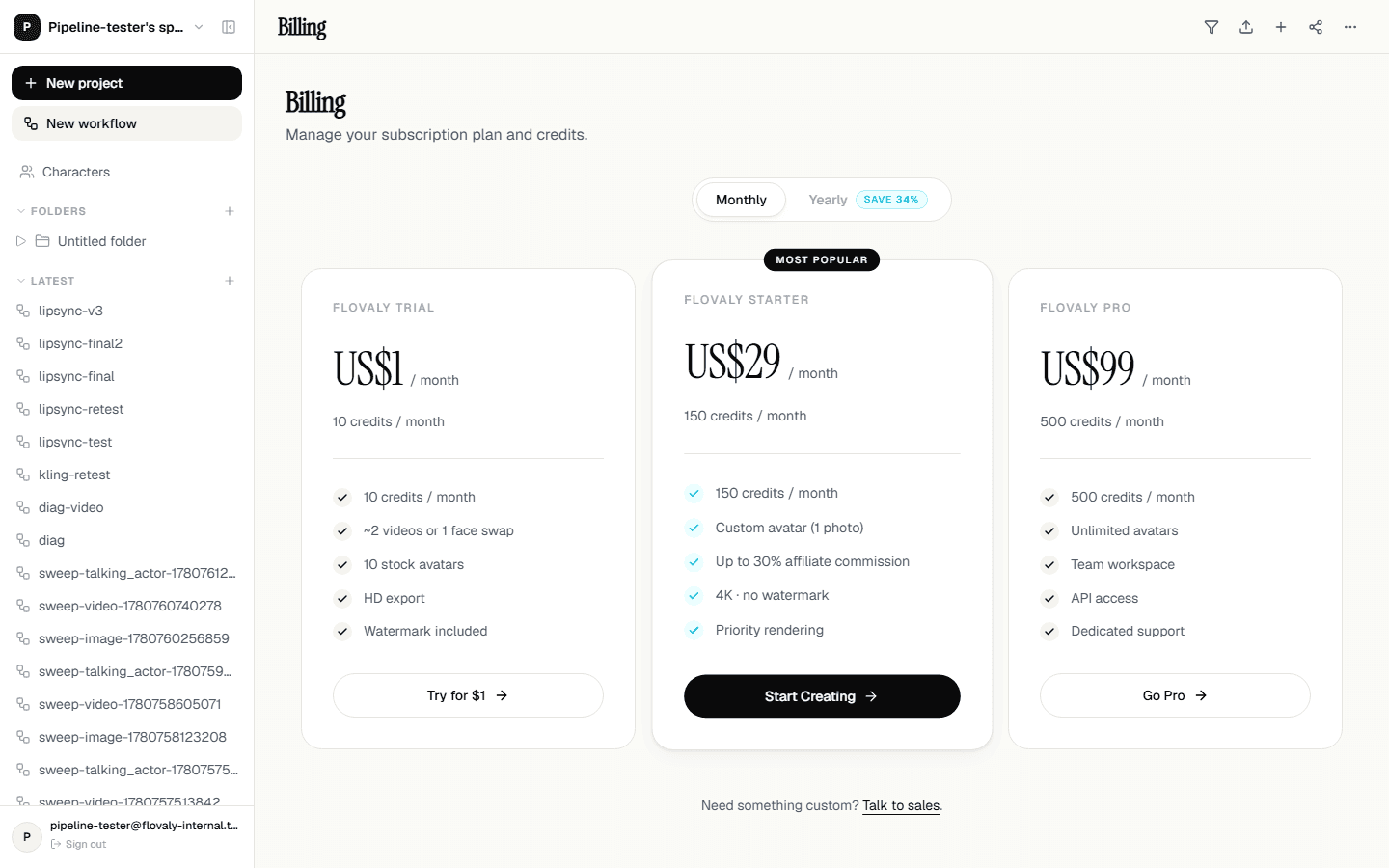
Flovaly has three paid tiers plus a free starter — Starter, Pro, and Studio, with Enterprise on request. The full breakdown lives on the pricing page; the short version:
- Starter covers single-creator usage and one custom actor.
- Pro raises the monthly credit cap and unlocks custom voice cloning and 1080p video output.
- Studio sits on top with the biggest credit allowance, API access, and team seats.
- Enterprise is inquiry-only — white-label output, dedicated account manager, custom integrations.
How credits roll over
Unused credits roll over for one month. So if you don't burn through your November allowance, anything left is available through December alongside that month's fresh top-up. After that the unused portion expires.
Top-up packs (one-off credit purchases) don't expire — they sit in your balance until you spend them.
Upgrade or change plan
From the dashboard, click your remaining-credits chip in the top-right and pick Upgrade plan. You land on the pricing page with your current tier marked. Pick a higher (or lower) tier and you're forwarded into Stripe Checkout. Card details, billing address, and tax handling all run through Stripe — Flovaly never sees your card directly.
Plan changes take effect immediately. Credit allowances reset on the date of the upgrade, not the original billing date.
Manage your subscription
From Settings → Billing, the Manage subscription button opens the Stripe customer portal in a new tab. From there you can:
- Update your card.
- Download past invoices.
- Change billing address or tax ID.
- Cancel the plan.
Cancellations are one-click. Your account stays on the paid plan until the end of the current period, then drops to the free tier. No retention call, no email gauntlet.
What next
To minimise credit spend while iterating, see the cost-saving tips in Generating videos from text — prototyping at 720p before committing to 1080p is the single biggest lever. For the cheapest mode in the Studio, see Generating images.
Frequently asked questions
What does one credit buy?
As round figures: one credit buys a still image, five seconds of generated video, or about eight seconds of a talking-actor clip; a custom-actor generation costs three credits and returns three variations. Exact costs shift with model and resolution, and the composer always shows the live price before you run.
Do unused credits roll over?
Plan credits roll over for one month — whatever you don't use in November stays available through December alongside the fresh top-up, then expires. One-off top-up packs never expire; they sit in your balance until spent.
How do I cancel my Flovaly subscription?
Go to Settings → Billing and click Manage subscription to open the Stripe customer portal. Cancellation is one click — your account stays on the paid plan until the end of the current period, then drops to the free tier.
What happens to my credits when I upgrade?
Plan changes take effect immediately, and your credit allowance resets on the date of the upgrade rather than the original billing date. Checkout and card handling run entirely through Stripe.
Was this useful? Email us if anything's missing.
Next