Generation modes
Face Swap mode (photo and video)
Swap your character into any source media. File limits, formats, and the 30s video cap.
4 min read
In short: Face Swap on Flovaly replaces the most prominent face in a source photo or video with one of your characters — premade or custom. Photos accept JPEG, PNG, or WebP; videos accept MP4, MOV, or WebM up to 100MB and 30 seconds. It re-casts existing footage without re-generating the scene, but it will not change what the person says.
Face Swap takes a source image or video you supply, and replaces the face in it with one of your characters. It's the fastest way to re-cast existing footage you already shot — or to drop a custom actor into a stock clip — without re-generating the whole scene.
1. Open Face Swap mode
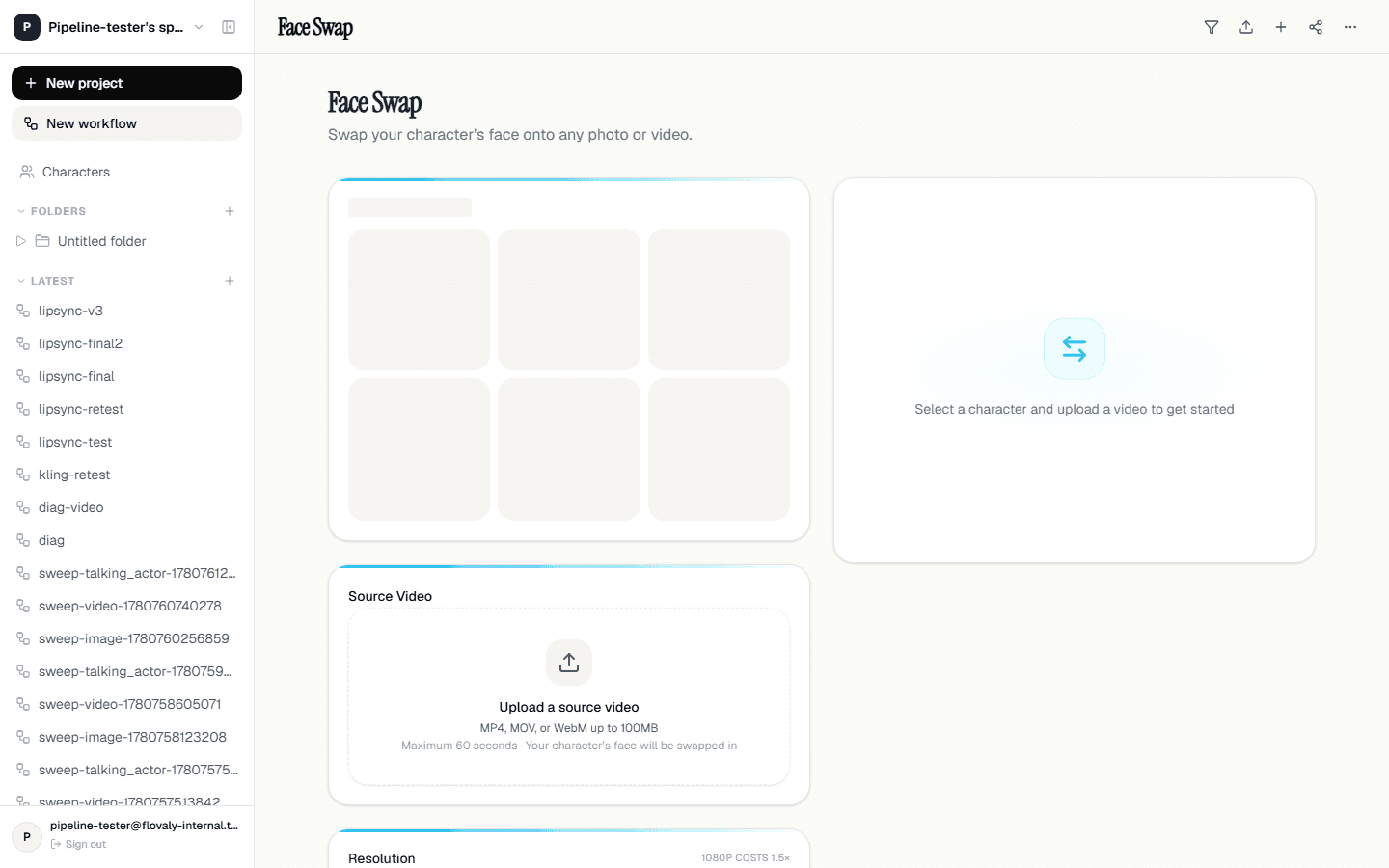
Inside the Studio composer, click the Face Swaptab. The composer body changes shape: the prompt textarea is replaced by a source-media uploader, and you'll see a small toggle for whether you're swapping into a photo or a video.
2. Pick photo or video
The toggle at the top of the editor sets the kind of source. That choice changes which generation pipeline runs underneath:
- Photo — one still in, one still out. Fast (usually under 30 seconds), cheap (one credit).
- Video — drops the swapped face into every frame of your clip. Currently capped at 30 seconds of source video — anything longer is rejected at upload. Render time scales roughly with clip length.
3. Upload your source
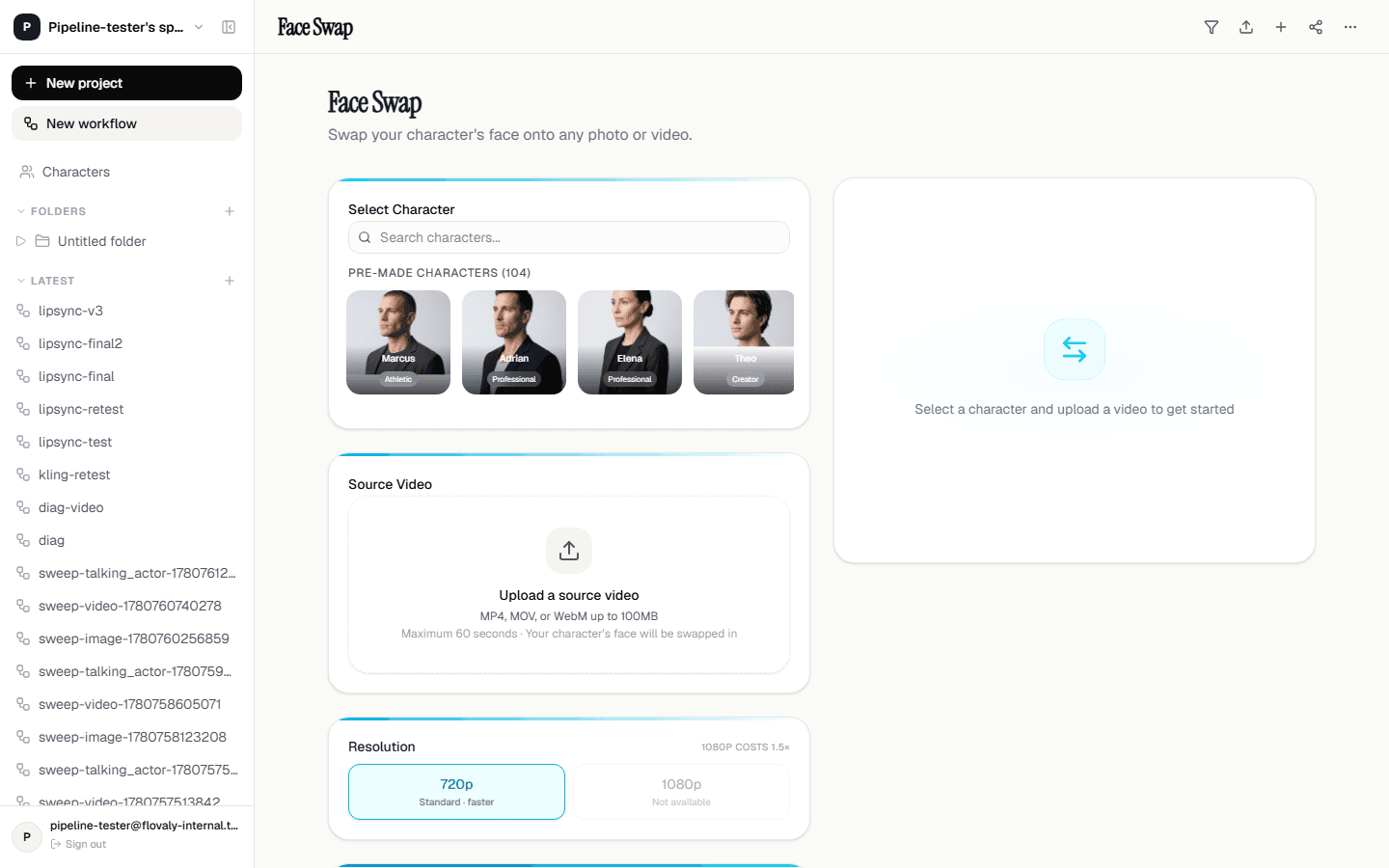
Drag a file into the drop zone or click to choose one. Accepted formats:
- Photo — JPEG, PNG, or WebP.
- Video — MP4, MOV (QuickTime), or WebM, up to 100MB and 30 seconds.
A preview appears in the composer the moment the file lands. The face the model targets is the most prominent one in the frame — if there are multiple people, the largest face wins.
4. Cast your character
Open the character chip on the left of the footer and select the actor whose face you want swapped in. Both premade and custom characters work. The chip preview updates to show the chosen actor so you can confirm at a glance.
5. Run
Hit the dark arrow. The queued status card appears as usual; the gallery opens automatically when the swap finishes. For video swaps you may want to keep the tab open and let it run — a 30s clip can take a few minutes.
What it's good for
A few patterns where Face Swap saves the day:
- Re-skinning existing UGC. You have clip you like the framing and energy of, but you want a different face in it.
- Variant testing. One source video, swapped three ways for an A/B/C creative test. Same script, same shot, different presenter.
- Stock footage with your actor. Buy or generate generic b-roll, then swap your brand spokesperson in.
What it's not for
Face Swap will not change the body, clothing, environment, or what the person is saying. The lip movement in the output follows the lip movement in the source. If you need a different line read, generate from scratch in Talking Actors mode instead.
What next
For full-control generation from a script, see The Talking Actors mode in depth. To make a custom actor first so you have someone to swap in, head to Create your own custom actor.
Frequently asked questions
What file formats does Face Swap accept?
Photos: JPEG, PNG, or WebP. Videos: MP4, MOV (QuickTime), or WebM, up to 100MB and 30 seconds of source footage. Anything longer than 30 seconds is rejected at upload.
Does Face Swap change what the person says?
No. Face Swap replaces the face only — the lip movement in the output follows the lip movement in the source, and the body, clothing, and environment stay untouched. For a different line read, generate from scratch in Talking Actors mode.
Which face gets swapped if several people are in frame?
The model targets the most prominent face in the frame — if there are multiple people, the largest face wins.
What is Face Swap best used for?
Re-skinning existing UGC with a different presenter, A/B/C variant testing with one source clip swapped several ways, and dropping your brand spokesperson into stock or generated b-roll.
Was this useful? Email us if anything's missing.
Next