Get started
Make your first video in 60 seconds
Studio, Talking Actors mode, a script, and a Run. The fastest path to a finished clip.
3 min read
In short: To make your first video on Flovaly, open the Studio, keep the default Talking Actors mode, pick an actor with the chip in the composer footer, paste a short script of 80-120 characters, and hit the run button. Most short clips finish rendering in 90 to 180 seconds and land in your gallery, ready to download as an MP4.
The fastest way to feel what Flovaly does is to ship a clip. This guide gets you from a signed-in dashboard to a finished talking-actor video in about a minute.
1. Open the Studio
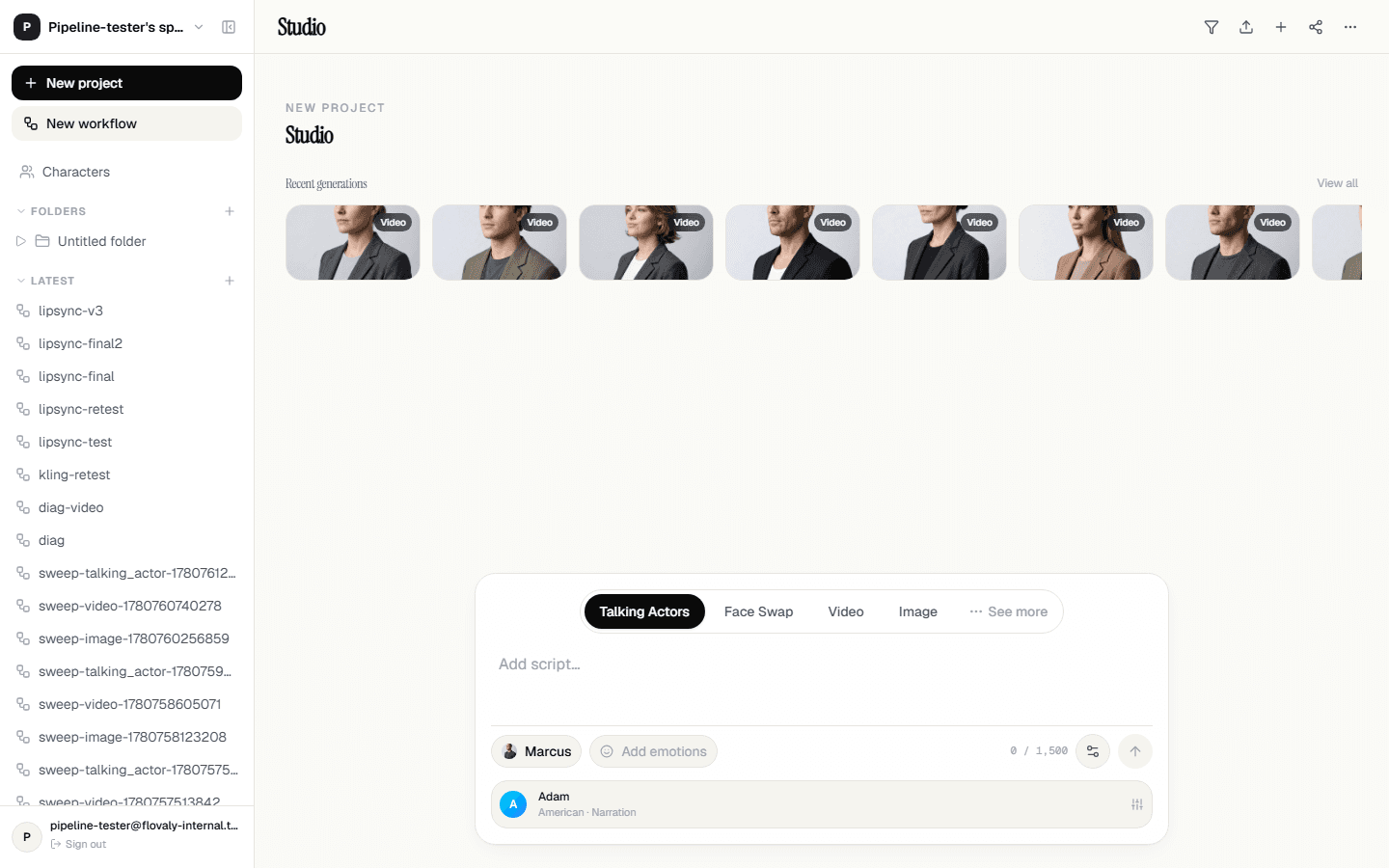
From the sidebar, click Studio. The composer is anchored to the bottom of the viewport — that's by design, so your hands stay near the input area. Above it sits the recent generations row (empty on a fresh account) and your project name.
2. Pick Talking Actors mode
Inside the composer card you'll see four mode tabs: Talking Actors, Face Swap, Video, Image. Talking Actors is selected by default. Keep it there — this mode pairs a character, a script, and a voice into a single lip-synced clip.
3. Pick an actor
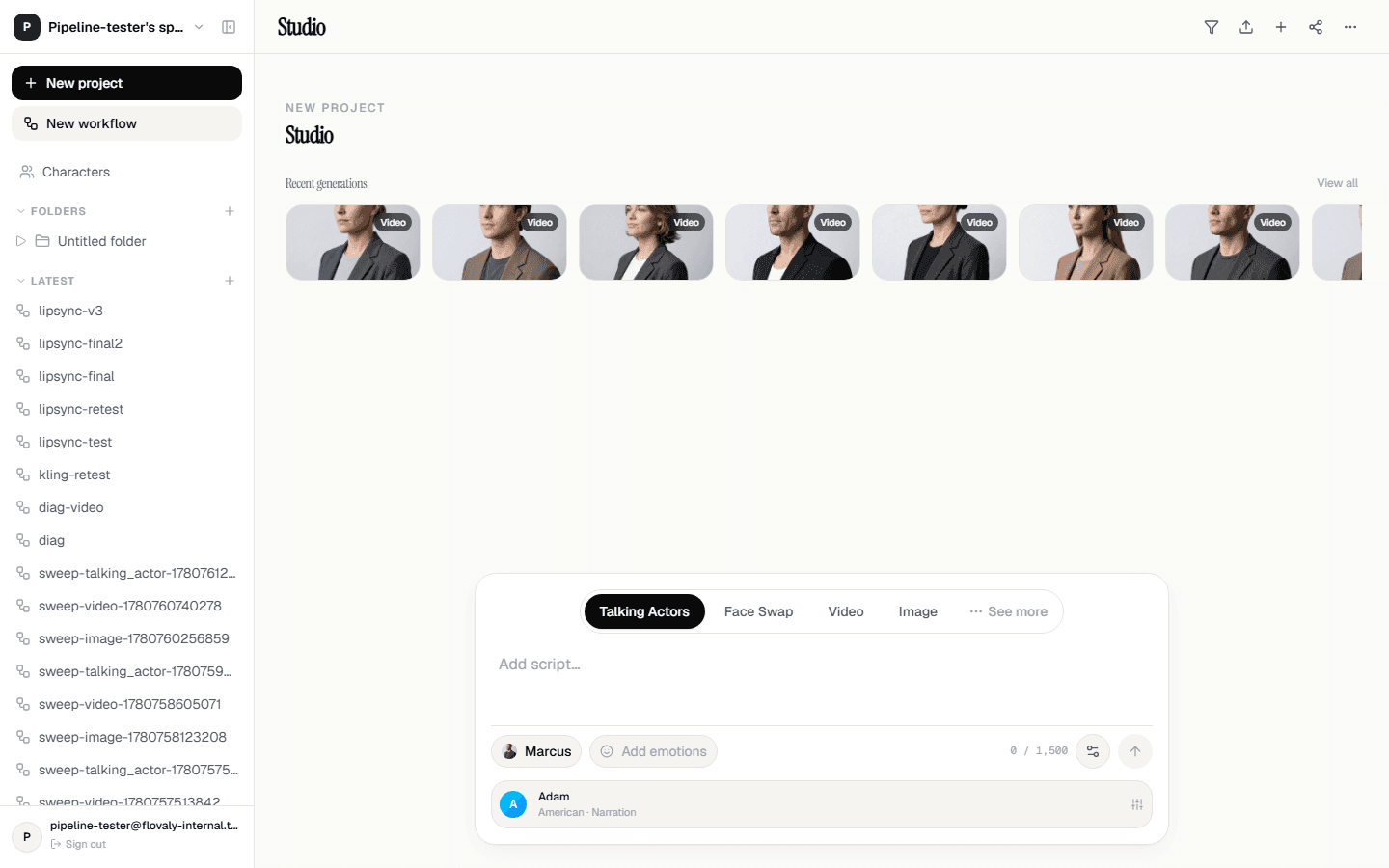
The chip on the left of the composer footer is where you cast. Click Add actors(or the chip showing the current default actor's thumbnail) to open the picker. You can scroll through the premade library or any custom actors you've built. One click selects, and the picker closes.
4. Paste a script
Click into the textarea and type or paste your script. Keep it short for your first run — 80 to 120 characters is plenty:
Most pre-workout drinks make you feel like a vibrating washing machine. This one doesn't.
A live character counter sits in the bottom-right and turns red if you exceed the script limit. There's no hard floor, but anything under about three seconds of spoken text doesn't leave room for lip sync to settle.
5. (Optional) Tune the voice
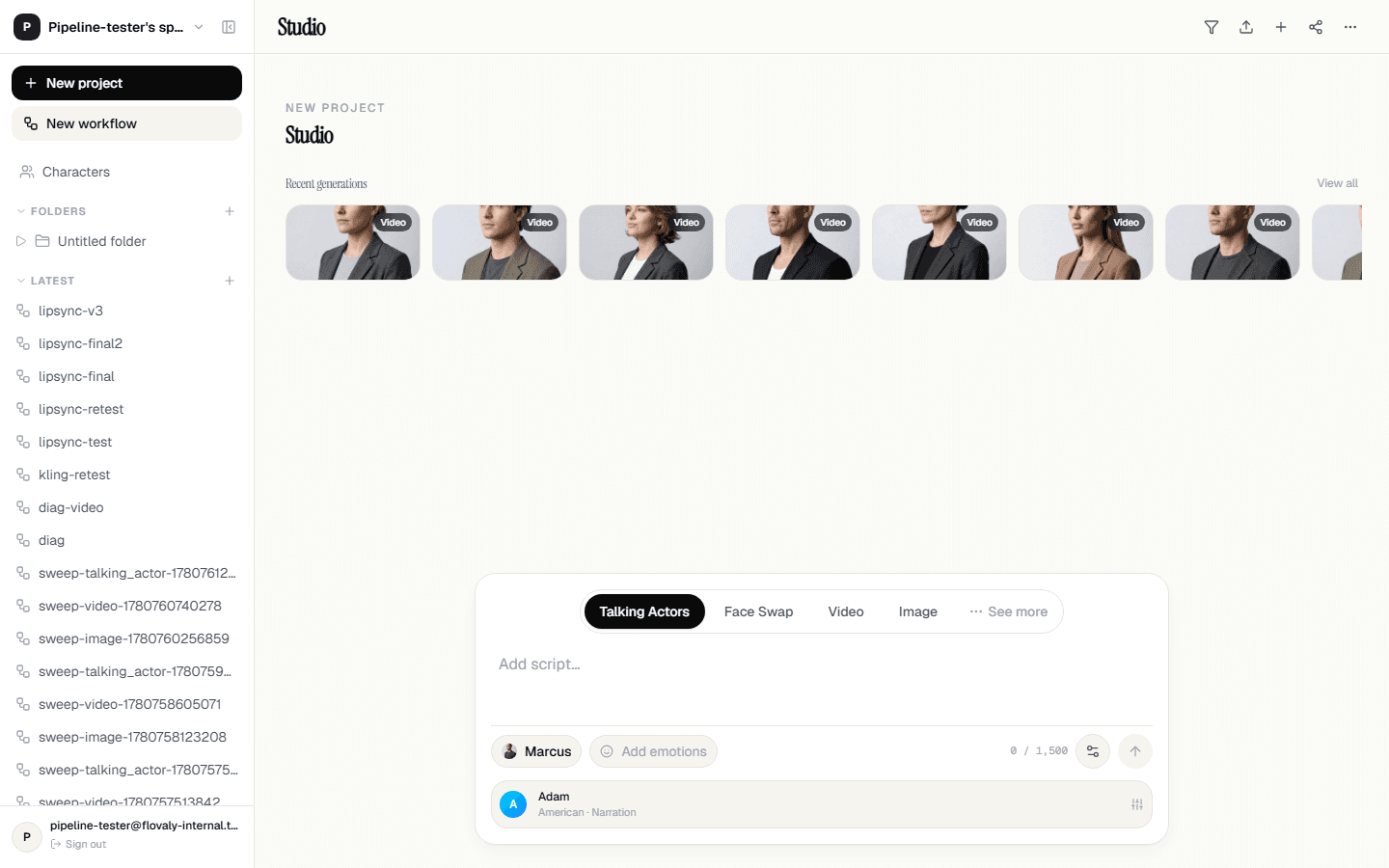
Beneath the composer card you'll see an inline row showing the currently selected voice — name, accent, and style. Click it to open the audio settings panel. Browse voices, preview each with the play button, and pick whatever matches the script. Defaults work fine for a first run.
6. Hit Run
The dark circular arrow button in the bottom-right of the composer is your run button. Click it. A status card slides in above the composer telling you the job is queued; a percentage ticks up as the worker processes. Most short clips finish in 90 to 180 seconds.
7. Land in the gallery
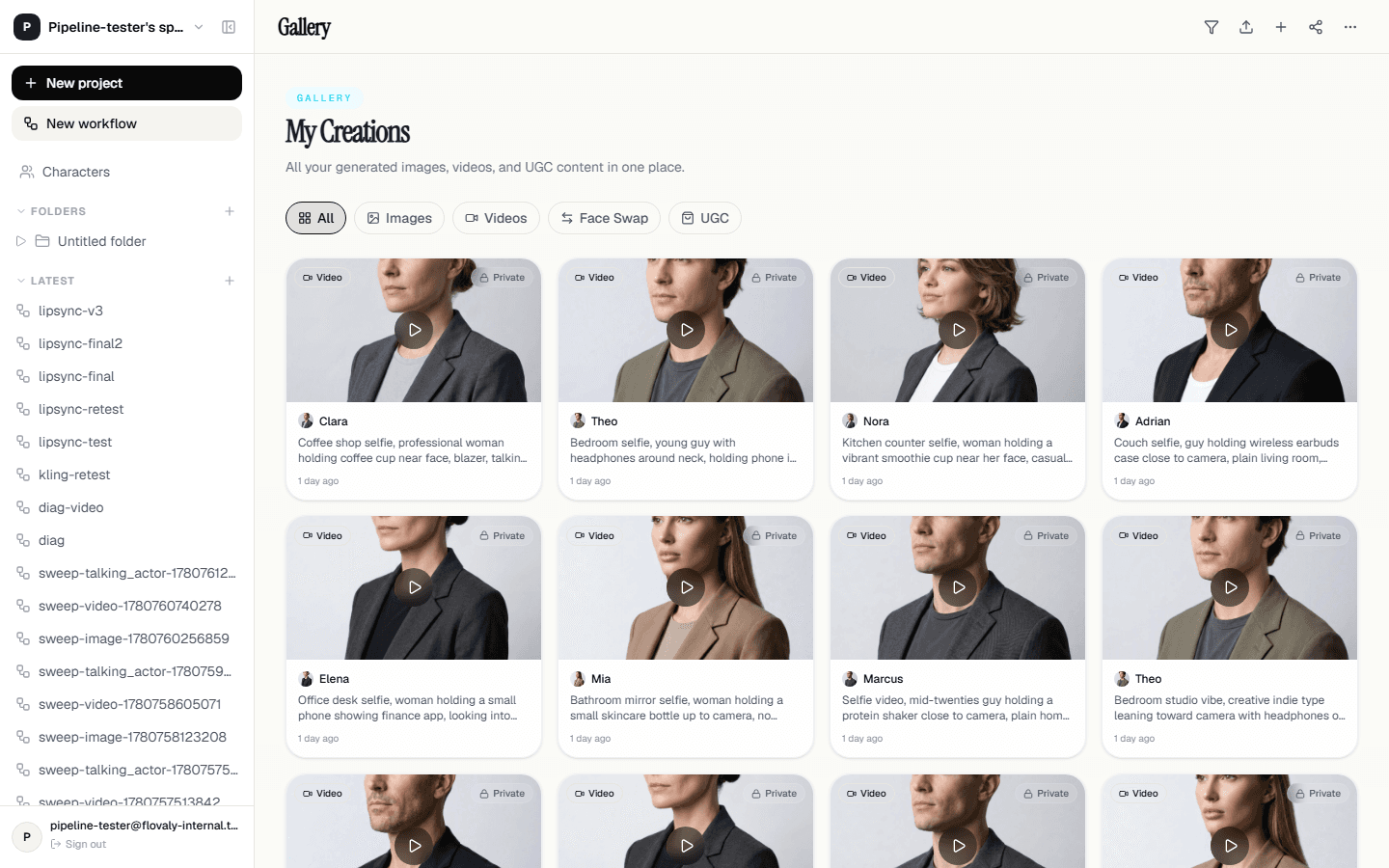
The moment your generation completes, Flovaly takes you to the gallery automatically. Your new clip is the freshest tile at the top. Click it to play in the preview pane; the right-side panel shows the script, voice, and character it was generated from.
Hit the download button to save the MP4 to your machine, or use the share icon to copy a public link.
What next
Now that you've made one, vary it. Re-run the same script with a different voice. Cast a different actor. Or jump to the full Talking Actors guide for the deeper controls — emotion, pacing, and multi-section scripts.
Frequently asked questions
How long does a talking-actor video take to generate?
Most short clips finish in 90 to 180 seconds. A status card above the composer shows queue progress, and Flovaly takes you to the gallery automatically the moment the render completes.
How long should my first script be?
80 to 120 characters is plenty for a first run. There is no hard minimum, but anything under about three seconds of spoken text does not leave room for the lip sync to settle. A live counter turns red if you exceed the script limit.
How many credits does a talking-actor video cost?
Roughly one credit per eight seconds of spoken output. The exact figure for your script is shown in the composer before you hit Run, so nothing is charged blind.
Where does my finished video go?
Every generation lands in the gallery, newest first. Click the tile to play it, download the MP4 to your machine, or copy a public share link that anyone can view without an account.
Was this useful? Email us if anything's missing.
Next